
Salt & Oak Development - Project Milestone Tracker
An owner-focused Excel tracker for managing major project milestones, responsibilities, target dates, forecast changes, schedule variance, risks, and next actions from project initiation through closeout.
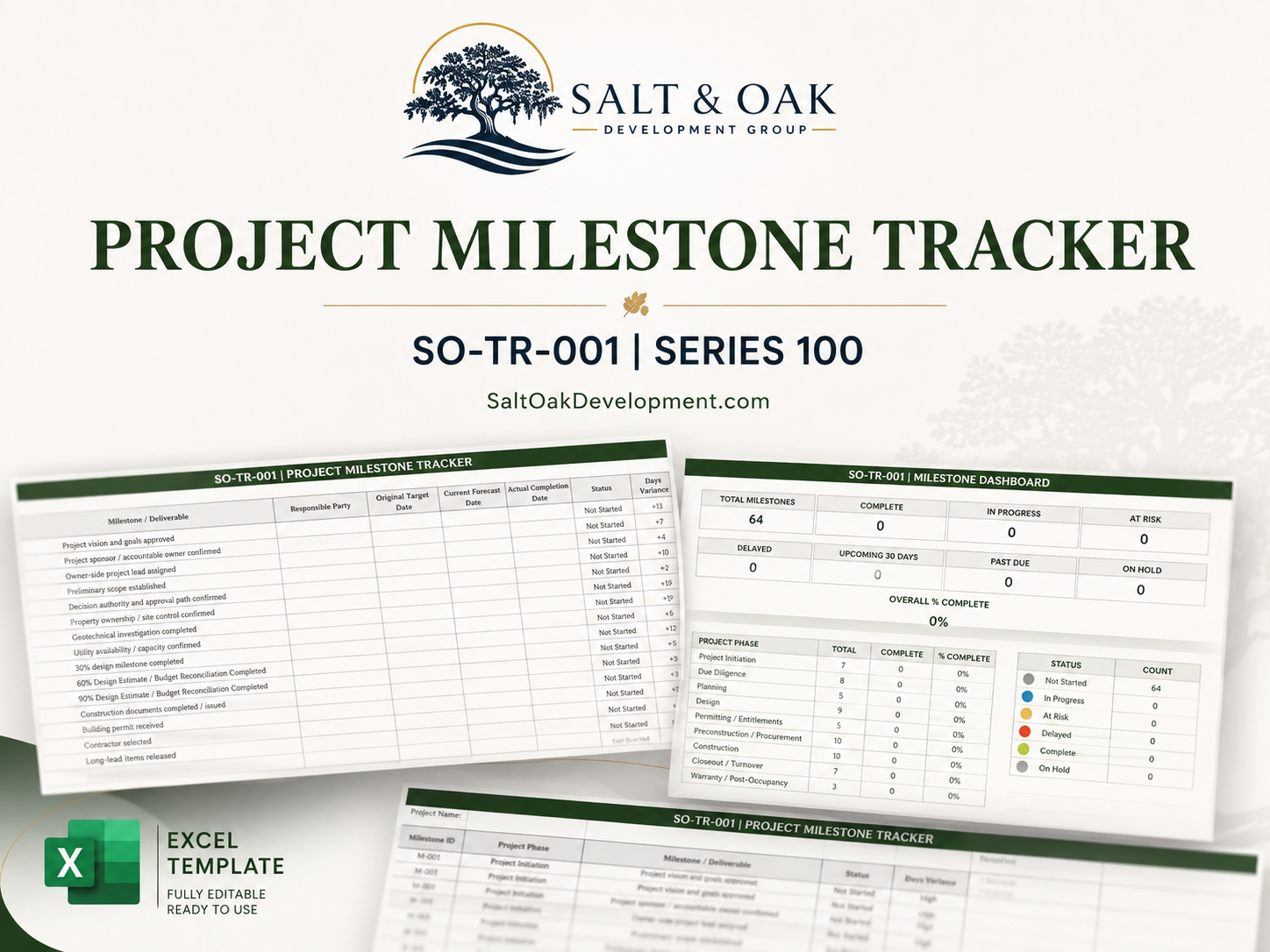
A project schedule can contain hundreds or even thousands of activities, but owners and project leaders still need a clear view of the milestones that actually drive major decisions, approvals, commitments, and outcomes. The Project Milestone Tracker provides a practical owner-side system for managing those critical milestones without trying to replace a detailed contractor CPM schedule. The workbook includes a preloaded milestone library covering project initiation, due diligence, planning, design, permitting and entitlements, preconstruction, procurement, construction, closeout, and warranty. Track original target dates separately from current forecasts and actual completion dates, identify schedule variance, assign responsibility, flag issues, record dependencies, and capture the next action required to keep the project moving. A built-in dashboard automatically summarizes overall progress, milestone status, phase completion, upcoming milestones, past-due items, and other key indicators so project leadership can quickly see where attention is needed.
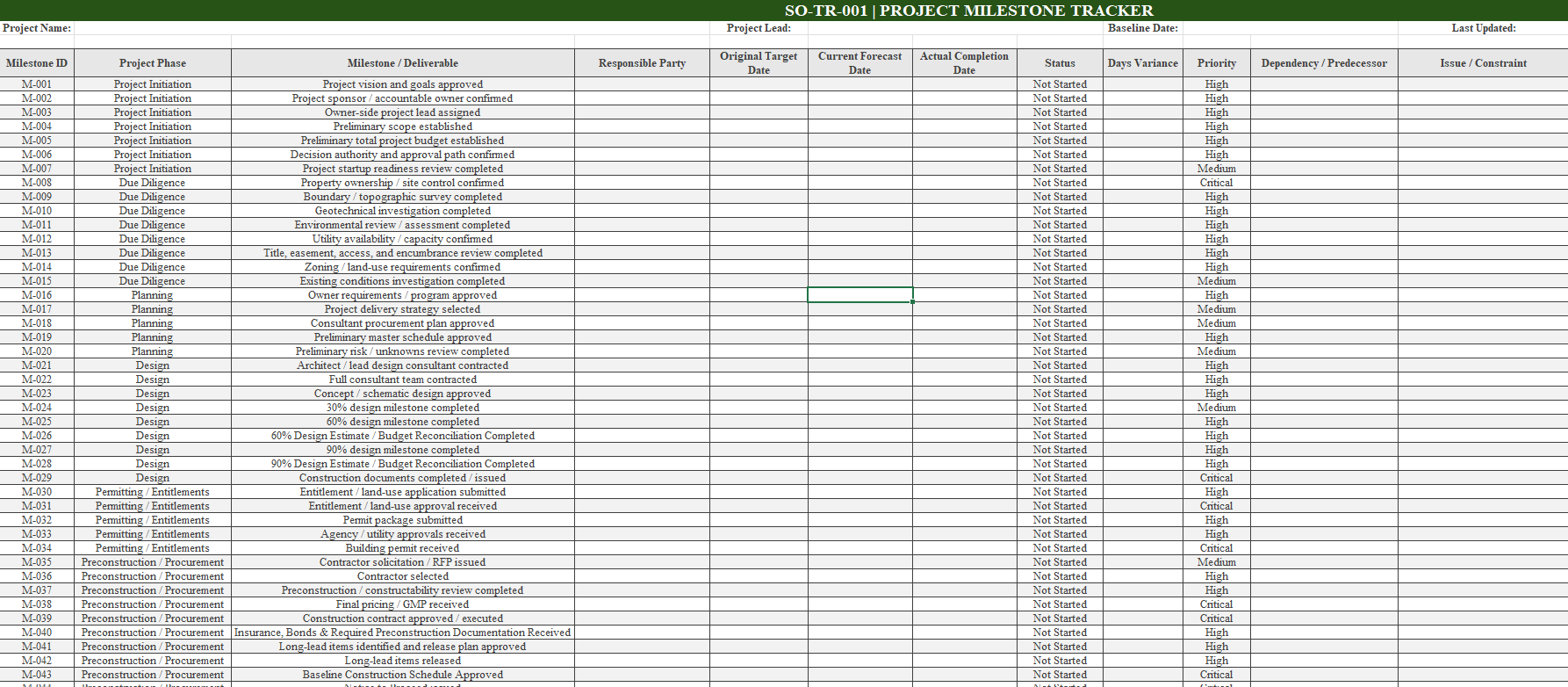
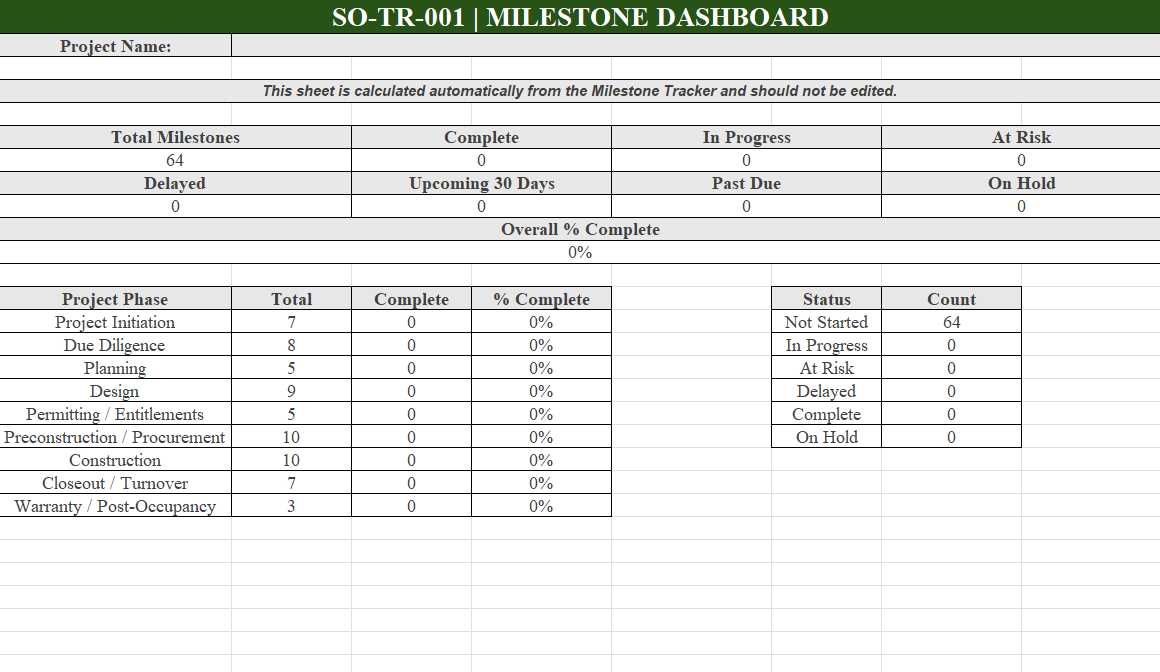
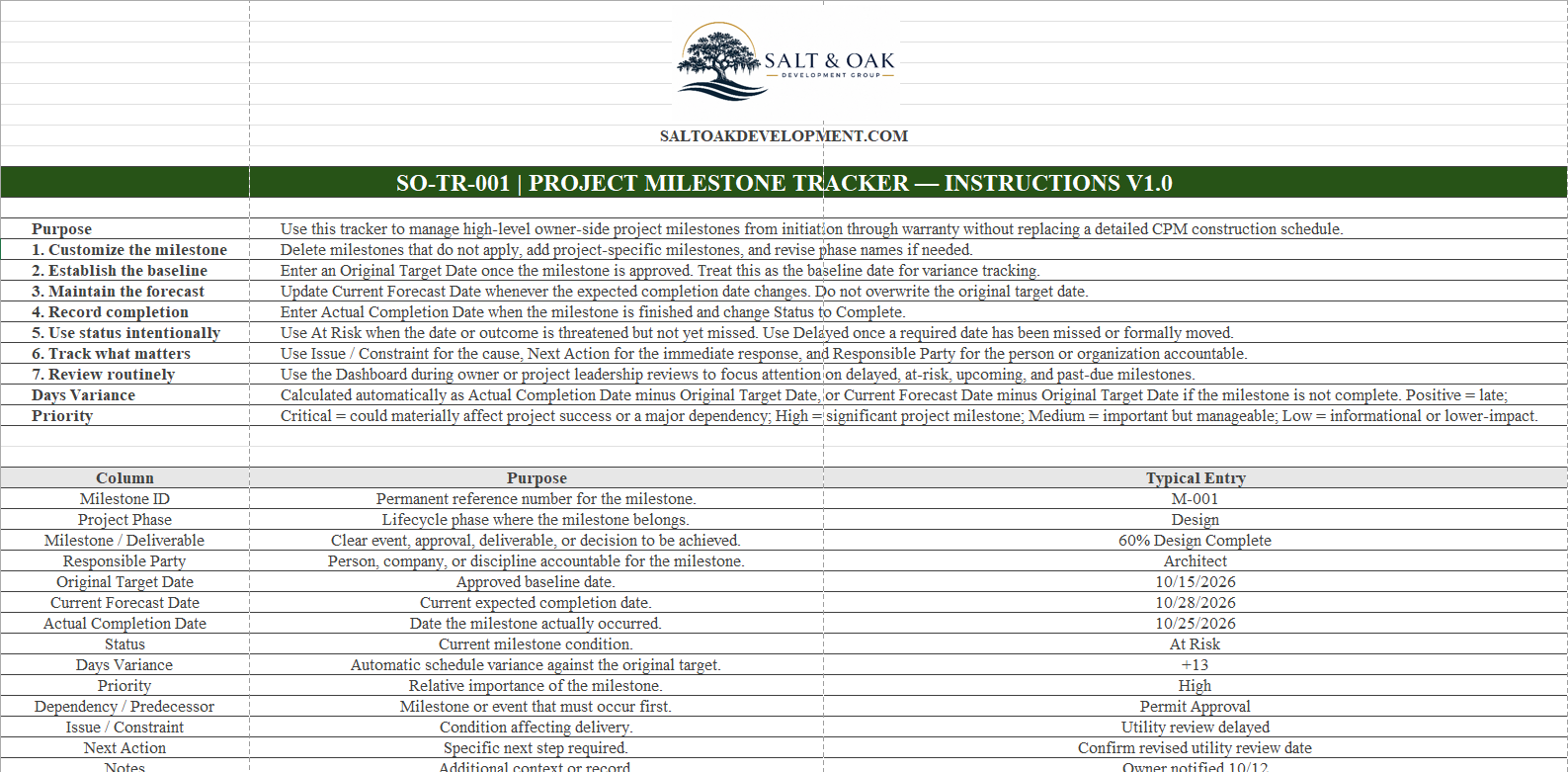
Start on the 00 - Start Here tab for a quick explanation of the tracker, status definitions, priority levels, and each data field. On the 01 - Milestone Tracker tab, customize the preloaded milestone list for your project. Delete milestones that do not apply and add project-specific milestones as needed. Enter the responsible party, Original Target Date, and other known project information. Update the Current Forecast Date when expectations change without overwriting the original baseline. When a milestone is completed, enter the Actual Completion Date and change its status to Complete. Use Status, Priority, Dependency / Predecessor, Issue / Constraint, Next Action, and Notes to identify where management attention is required. The 02 - Dashboard updates automatically from the Milestone Tracker. Use it during project reviews to monitor progress, delayed or at-risk milestones, upcoming dates, past-due items, and completion by project phase. White input cells are intended for user entry. Gray calculated cells and the Dashboard populate automatically and should not be edited.
- Maintain a clear owner-side view of major project milestones from initiation through closeout.
- Preserve original target dates while separately tracking current forecasts and actual completion.
- Identify schedule variance before milestone changes disappear into revised dates.
- Clarify responsibility, dependencies, issues, and next actions for critical project events.
- Quickly identify delayed, at-risk, upcoming, and past-due milestones.
- Monitor milestone completion by project phase through an automatically updated dashboard.
- Owners and Developers
- Owner's Representatives and Project Managers
- Development Managers
- Property and Facility Managers
- Small Teams Managing Construction or Development Projects
- Excel-based Project Milestone Tracker
- 64 Preloaded Owner-Side Project Milestones
- Milestones Covering Initiation Through Warranty
- Original Target, Current Forecast & Actual Completion Date Tracking
- Automatic Days Variance Calculation
- Status, Priority, Responsibility & Dependency Tracking
- Issue, Constraint & Next Action Tracking
- Automatic Project Milestone Dashboard
- Project Phase Completion Summary
- Built-In Instructions and Field Definitions
Need help applying this to your project?
Bring the completed worksheet to a consultation and we'll pressure-test it against budget, schedule, and delivery approach.
Request a consultation