
Salt & Oak Development - Preconstruction Budget Builder
A guided Excel budgeting tool that helps owners and project leaders build a more complete total project budget by identifying hard costs, soft costs, fees, owner costs, escalation, contingency, and commonly missed project expenses.
Build a complete project budget without starting from scratch—and spot costly gaps before they become surprises.
Secure checkout by Stripe · instant download · one-time payment
Sales tax and a small processing fee are added at checkout.
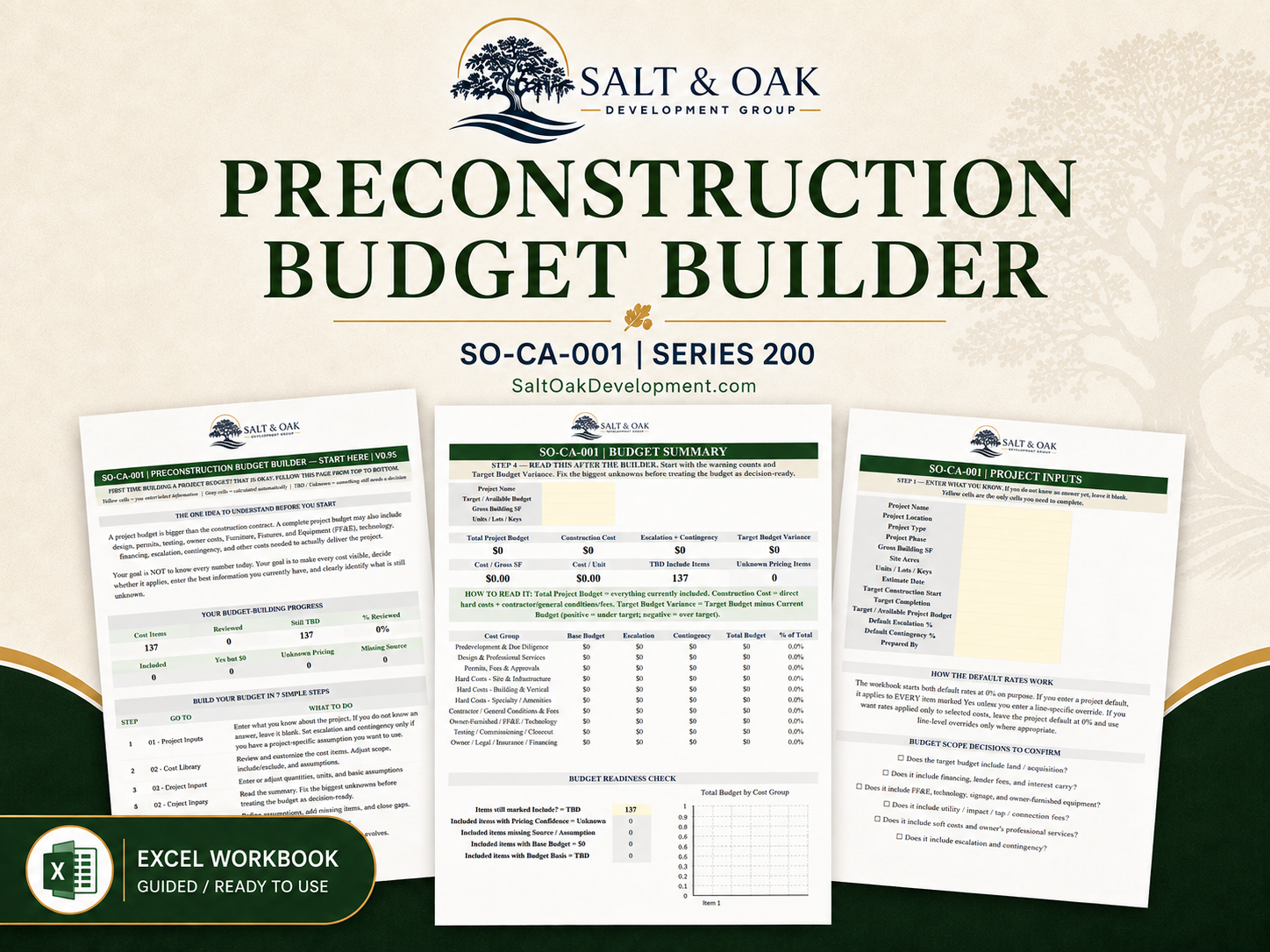
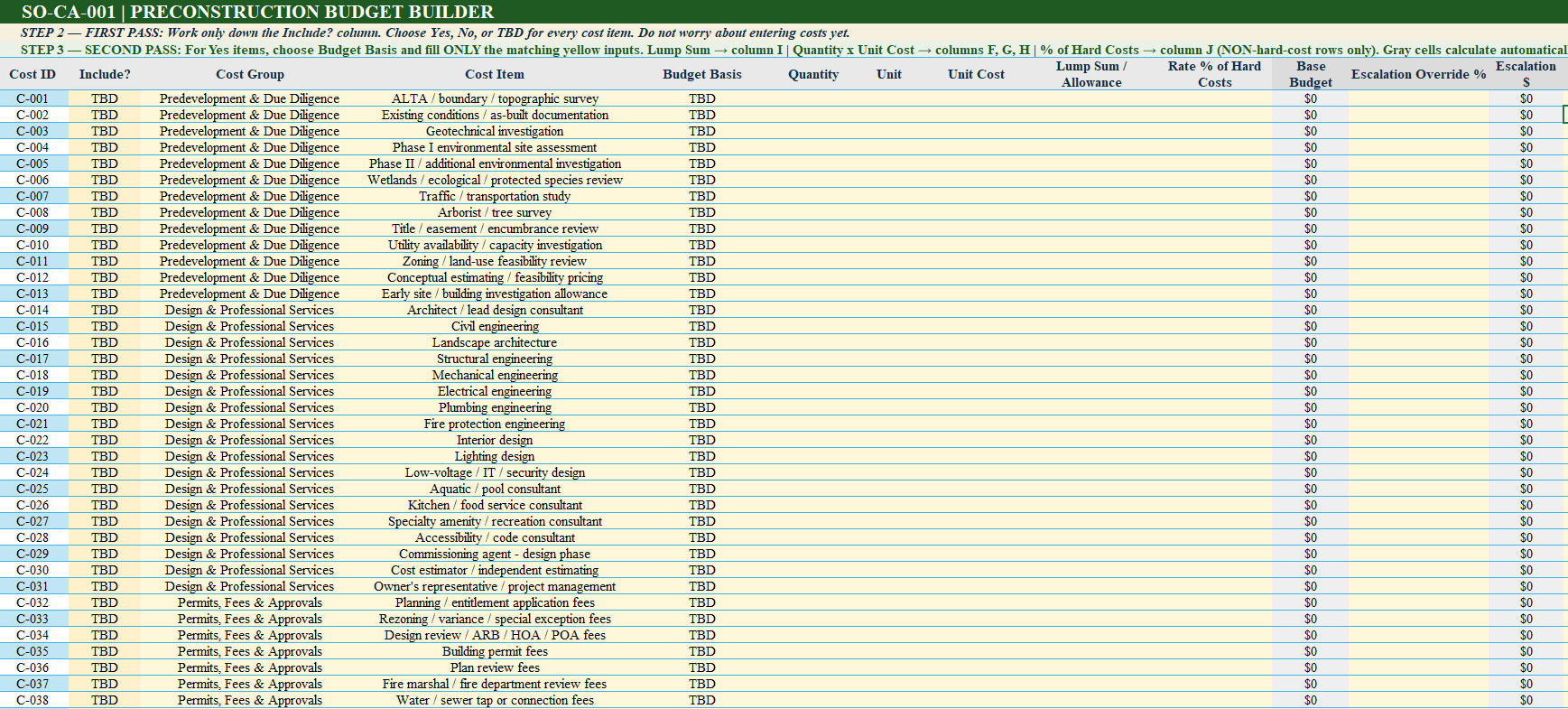
A construction budget is more than the construction contract. The Preconstruction Budget Builder gives owners, developers, and project leaders a guided Excel-based system for building a more complete preliminary total project budget before major commitments are made. The workbook includes 137 preloaded project cost items covering due diligence, professional services, permits and fees, site infrastructure, vertical construction, amenities, contractor costs, FF&E and technology, testing and closeout, insurance, financing, and other owner-side expenses that are often overlooked during early budgeting. Rather than requiring the user to already understand construction budgeting, the workbook walks them through the process step by step. Each cost can be reviewed for applicability, assigned an appropriate budgeting method, supported by an assumption or pricing source, and classified by pricing confidence. Automatic calculations then summarize base cost, escalation, contingency, total project cost, construction cost, cost per square foot or unit, target-budget variance, category totals, and unresolved budget items. The goal is not false precision. It is to create a budget that clearly shows what is known, what is estimated, what may be missing, and what still needs to be resolved.
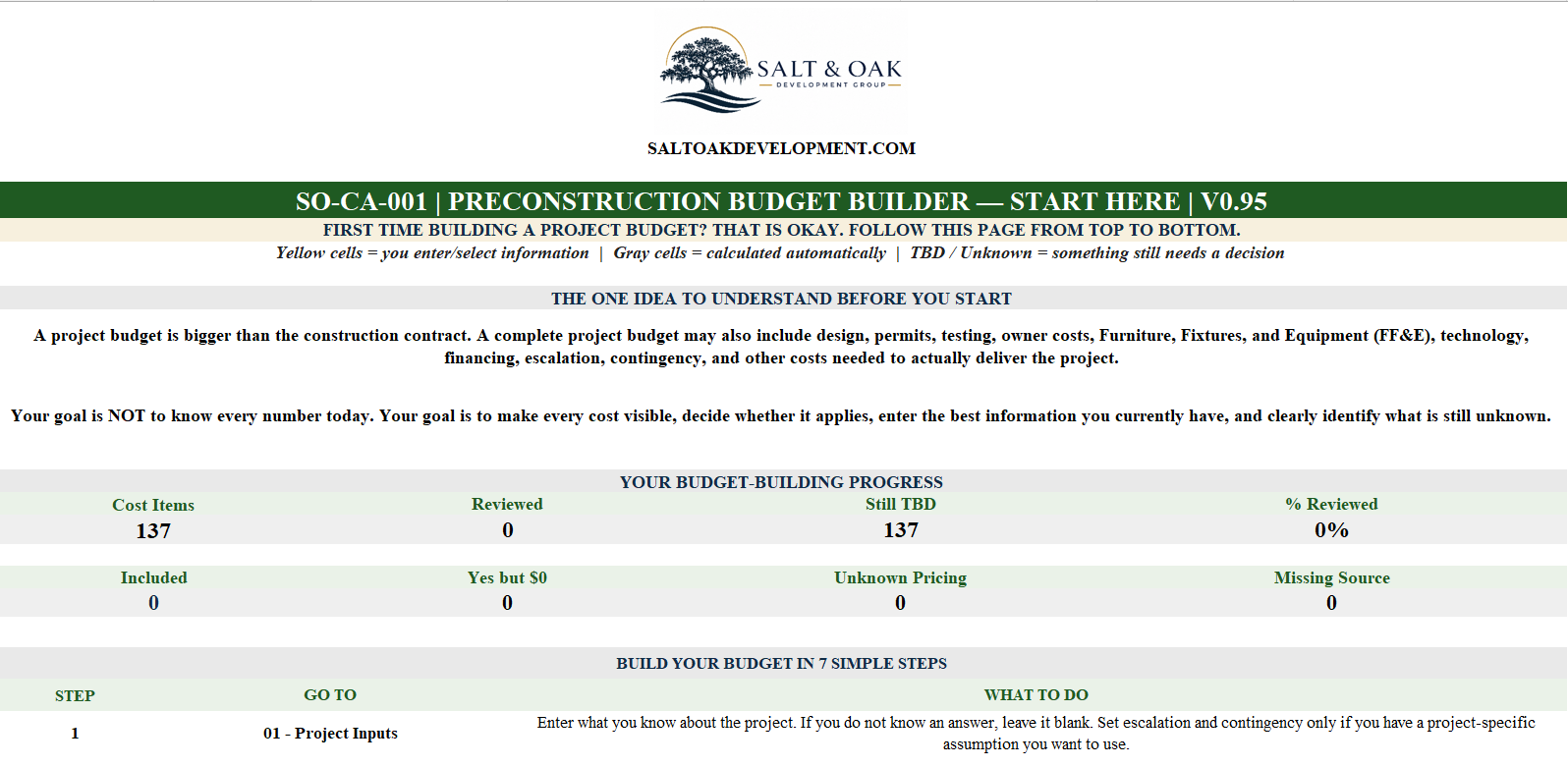
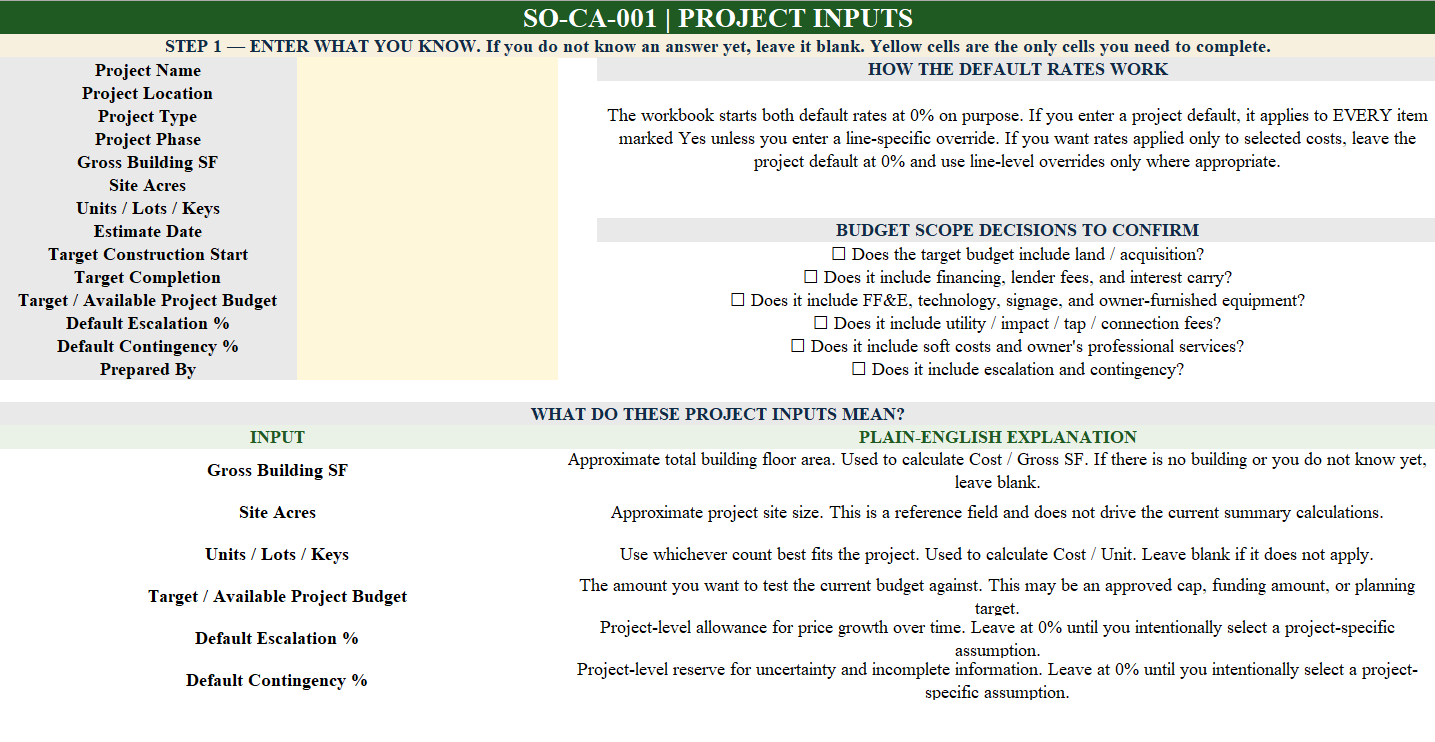
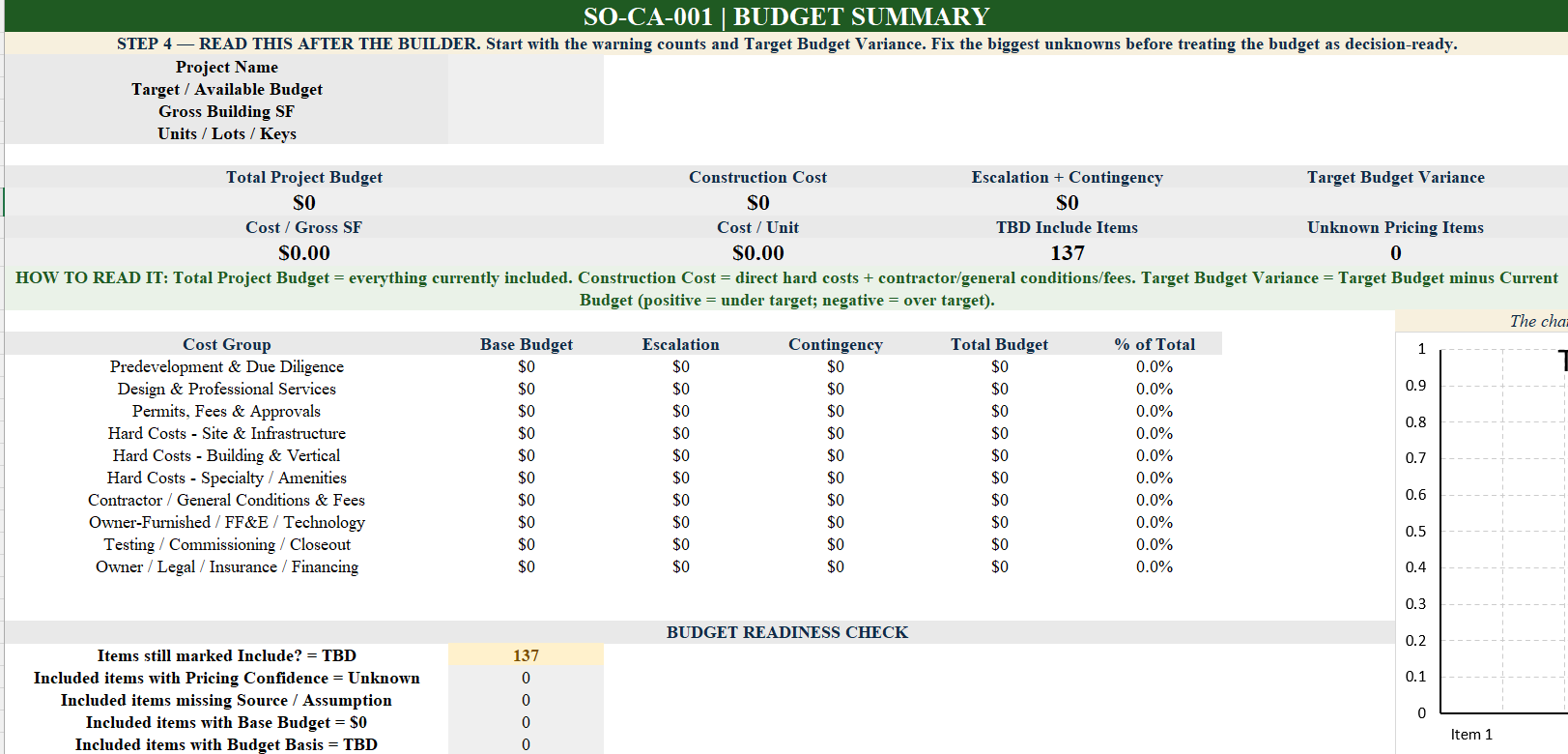
Start on the 00 - Start Here tab and follow the guided seven-step budgeting process. Begin by entering the project information and any known project-level assumptions on 01 - Project Inputs. Next, use the 02 - Budget Builder to review each preloaded cost item. First determine whether the cost applies by selecting Yes, No, or TBD. For applicable costs, choose the budgeting method that best matches the information available: Lump Sum / Allowance for a known or estimated total amount, Quantity × Unit Cost for measurable costs, or % of Hard Costs for selected non-hard-cost items intentionally tied to direct construction cost. Document the Pricing Confidence and Source / Assumption for each cost so rough planning numbers can be distinguished from current quotes or contracted values. Use 03 - Budget Summary to review total project cost, construction cost, escalation and contingency, cost per square foot or unit, target-budget variance, category distribution, and unresolved budget information. If an earlier or approved budget exists, use 04 - Reconciliation to compare it against the current project budget and identify where costs have changed.
- Build a more complete preliminary Total Project Cost, not just a construction-cost estimate.
- Identify commonly overlooked project expenses before they become budget surprises.
- Evaluate 137 preloaded owner-side cost items across the project lifecycle.
- Separate included, excluded, and unresolved costs using Yes / No / TBD decisions.
- Budget costs using Lump Sum, Quantity × Unit Cost, or % of Hard Costs methods.
- Track whether pricing is conceptual, budgetary, quoted, or contracted.
- Document pricing sources and assumptions so budget decisions remain understandable.
- Calculate escalation and contingency using project-level assumptions or line-item overrides.
- Compare the current project budget against an available or target budget.
- Identify missing values, unresolved assumptions, and low-confidence pricing before major commitments.
- Compare an earlier or approved budget against the current forecast through automatic reconciliation.
- Owners and Developers
- Owner's Representatives
- Project Managers
- Development Managers
- Small Business Owners planning a construction or renovation project
- Property and Facility Managers
- Small teams that need a structured project budget without purchasing complex estimating software
- Guided Excel Preconstruction Budget Builder
- 137 Preloaded Project Cost Items
- Step-by-Step Start Here Guide
- Beginner-Friendly Budgeting Instructions
- Project Inputs & Budget Assumption Setup
- Yes / No / TBD Cost Applicability Review
- Lump Sum / Allowance Budgeting
- Quantity × Unit Cost Budgeting
- % of Hard Costs Budgeting
- Automatic Base Budget Calculations
- Escalation Calculations
- Contingency Calculations
- Total Project Budget Calculations
- Pricing Confidence Tracking
- Source & Assumption Tracking
- Automatic Budget Summary
- Construction Cost Summary
- Cost per Gross SF Calculation
- Cost per Unit Calculation
- Target Budget Variance
- Budget Readiness Checks
- Automatic Cost-Category Summary
- Budget Distribution Chart
- Prior / Approved Budget Reconciliation
- Worked Examples and Plain-English Definitions
Need help applying this to your project?
Bring the completed worksheet to a consultation and we'll pressure-test it against budget, schedule, and delivery approach.
Request a consultation